Options Wheel Screener
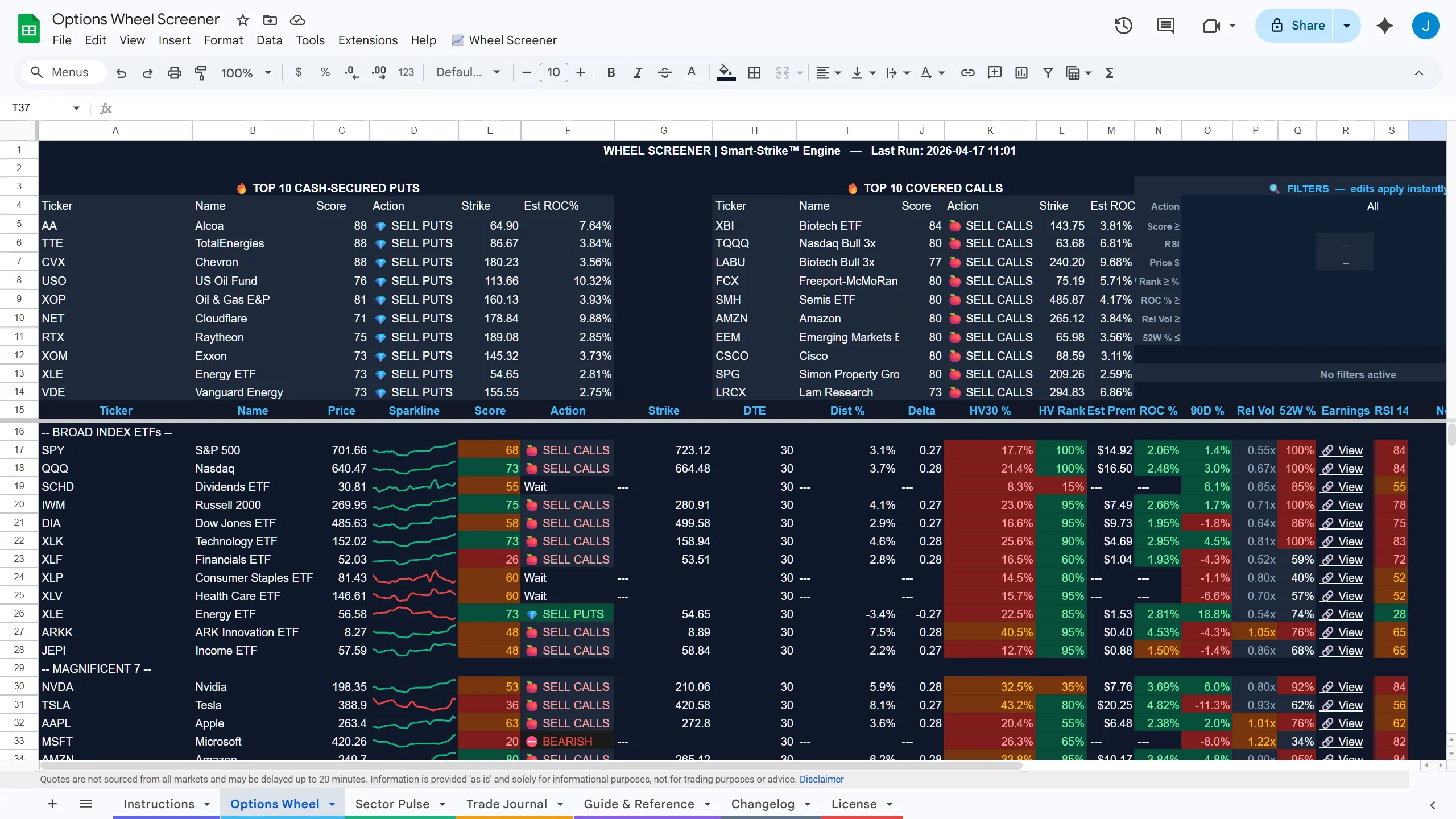
A fully-featured Google Sheet with a built-in screener, sector pulse, and trade journal — modeled after the WheelLogic dashboard. Now with Custom Ticker Search: type any symbol and get the full 21-column wheel analysis instantly, even for tickers not in the curated list.
Video Walkthrough
What's inside
- Custom Ticker Search — type any symbol for instant full wheel analysis, pinned at the top
- 300+ tickers pre-loaded with wheel strategy scoring
- Sector Pulse tab — ETF momentum & trend overview
- Trade Journal tab — log CSPs, CCs, and assignments
- HV30 column for historical volatility & premium timing
- ATR-based strike suggestions built in
- Works entirely in Google Sheets — no login required
Questions
Where does the data come from?
The sheet pulls live quotes and fundamentals through Google Sheets' built-in functions, so prices refresh on their own whenever the file is open. There's no API key to set up and nothing to install.
What is the Custom Ticker Search?
Type any symbol into the search cell at the top and the sheet runs the same 21-column wheel analysis it runs on the 300+ curated names — score, HV30, ATR-based strikes, trend and sector context. It works for tickers that aren't in the pre-loaded list.
Do I need a WheelLogic account?
No. The spreadsheets are standalone Google Sheets — no login, no API key, no connection to the WheelLogic dashboard required. They're a one-time purchase you keep and can customize however you like.
How is it delivered?
Immediately after checkout you'll get an email from noreply@optionwheellogic.com with a Google Drive link. Open it, choose File → Make a copy, and you have your own editable version. The first time you use the sheet's custom menu, Google may show an "Authorization required" prompt. That's standard for spreadsheet scripts: click Continue, then Advanced → Go to … (unsafe), then Allow, then click the menu item again to run it. The script runs only in your copy, under your own account. Nothing expires and there's no subscription.
Also in the store
Purchases are processed securely by Stripe. You'll receive an email with your Google Drive link immediately after checkout.
Questions? Contact us